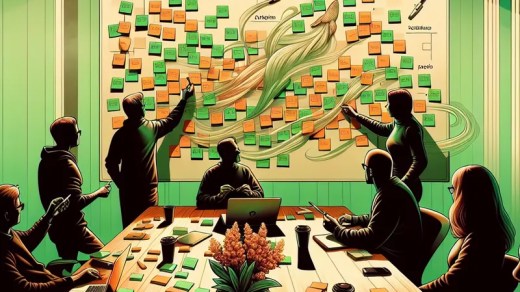
Kanban For DevOps Teams That Ship Calmly
Less chaos, clearer flow, and fewer “who broke prod?” moments.
Why We Keep Coming Back To kanban
We’ve tried all sorts of ways to manage DevOps work: tickets, spreadsheets (we don’t talk about that phase), chat-driven “plans”, and the occasional heroic whiteboard that gets erased by accident. We keep coming back to kanban because it matches what DevOps actually looks like: a stream of small-to-medium tasks, interruptions, operational chores, and real projects—all arriving in the same inbox with the same urgency.
Kanban works because it doesn’t demand we freeze the world into perfect iterations. Instead, it asks us to look at the work as it flows, make the flow visible, and reduce the friction. That’s the whole game. When we can see work clearly, we can make better trade-offs: do we interrupt for a hotfix, or can it wait? Are we overloading one person with reviews? Are we “busy” but not finishing anything?
It also plays nicely with how DevOps teams collaborate across functions. Platform work, CI changes, incident fixes, security patches, and cost tuning don’t happen in tidy lanes. Kanban lets us model that messy reality without pretending we’re doing waterfall in two-week sprints.
If we had to sum it up: kanban helps us finish work more reliably and reduce time-to-recovery when things go sideways. And yes, it also reduces the number of times we say “I thought you were doing that.” A small miracle.
For a solid baseline, the Kanban Guide is a great, lightweight reference.
Start With A Board That Mirrors Reality
The fastest way to make kanban useless is to design a board that describes how we wish work happened. The second fastest way is to create fifteen columns, three swimlanes, and a taxonomy that requires a training course. We want a board that mirrors the team’s real flow, with just enough structure to make bottlenecks obvious.
A practical starting point for a DevOps team is something like:
- Intake (or Backlog): raw requests, untriaged
- Ready: triaged, sized “enough”, and unblocked
- Doing: actively being worked
- Review: PR review, peer review, security review
- Deploy: change is being released (or queued)
- Done: completed and validated
If we do on-call, we can add a swimlane for incidents—same flow, higher urgency. If we’re platform-heavy, we might add a “Design” or “Discovery” column, but only if it’s a real step with a clear exit condition. Otherwise it’s just a parking lot with better branding.
The trick is to define what “ready” means. Not in a 40-page document—just enough so the team doesn’t pull ambiguous work into Doing and then stall. “Ready” might mean: owner named, success criteria noted, dependencies called out, and an estimate of complexity (even if it’s “small/medium/large”).
If you’re using Jira, the Atlassian kanban guide has decent examples—just keep our board simpler than the screenshots.
WIP Limits: Our Boring Superpower
Work-in-progress limits (WIP limits) are the part of kanban that sounds restrictive until we try it—then it’s weirdly liberating. Without WIP limits, we start five things, finish none, and spend our days context-switching like caffeinated squirrels. With WIP limits, we’re forced to finish work before pulling more into the system.
We usually start with a gentle limit on Doing and Review, because those are where DevOps teams get stuck:
- Doing: 2–4 items per person is almost always too many
- Review: this is the silent killer; queues pile up here unnoticed
A common pattern: engineers pick up new work because they’re “blocked”, but the real blockage is that nobody’s reviewing anyone else’s PRs. A WIP limit on Review makes that pain visible. When Review hits the limit, the team swarms it. That’s not ceremony; that’s unblocking throughput.
We also treat WIP limits as a team agreement, not a manager weapon. The goal isn’t to shame anyone. The goal is to highlight system constraints: too many urgent interrupts, unclear requirements, flaky tests, slow deployment approvals, or one person acting as the sole gatekeeper.
And yes, sometimes we break the limit. Incidents happen. But we break it consciously, and we mark the reason. If “urgent” becomes the default reason, we’ve learned something uncomfortable about our intake process.
If you want a deeper dive on flow metrics that pair well with WIP, Actionable Agile Metrics is a solid resource.
Define Classes Of Service (So Everything Isn’t “Urgent”)
In DevOps land, everything arrives with a siren attached. Kanban gives us a simple way to handle priority without turning the backlog into a shouting contest: classes of service. Instead of arguing about which ticket is “P0-ish”, we agree on a few categories with clear rules.
A pragmatic set might be:
- Expedite: production is down, security incident, major customer impact
Policy: jump the queue, but we track it and keep it rare. - Fixed Date: deadlines that can’t move (cert expiry, contract commitments)
Policy: schedule backwards; don’t wait until it’s on fire. - Standard: normal platform work, feature enablement, tech debt
Policy: first-in-first-out within reason. - Intangible: “would be nice” improvements (docs, refactors)
Policy: allocate a small capacity slice or these never happen.
The magic here is that we stop treating every request as an emergency. If a stakeholder wants something expedited, we ask: “What’s the impact if we don’t?” If it’s inconvenient but not dangerous, it’s Standard. If it’s a compliance deadline, it’s Fixed Date. If prod is melting, Expedite—no debate.
We also set a cap: for example, only one Expedite item at a time. If we have three simultaneous expedites, we don’t have a kanban problem; we have a reliability problem (and likely a planning problem).
This is also where we can align with SRE practices. If you’re tracking error budgets, you can tie Expedite frequency to reliability investment. Google’s SRE book remains a useful reference for that mindset.
Make The Work Item Itself Do Some Work (Templates)
Tickets that say “Fix pipeline” are an invitation to confusion. Kanban doesn’t require heavyweight requirements, but it benefits massively from consistent work item templates. The goal is to reduce back-and-forth, capture intent, and make handoffs less painful.
Here’s a simple GitHub Issue template we’ve used for DevOps tasks:
name: DevOps Task
description: A small, well-scoped operational or platform change
title: "[devops] "
labels: ["devops"]
body:
  - type: textarea
    id: problem
    attributes:
      label: Problem
      description: What’s happening and why does it matter?
      placeholder: "Deploys take 45 minutes due to serial integration tests."
    validations:
      required: true
  - type: textarea
    id: outcome
    attributes:
      label: Desired Outcome
      description: What does “done” look like?
      placeholder: "Deploy time reduced to < 20 minutes with no flakiness increase."
    validations:
      required: true
  - type: textarea
    id: scope
    attributes:
      label: Scope / Notes
      description: Constraints, dependencies, links to docs, services, or repos.
  - type: dropdown
    id: class_of_service
    attributes:
      label: Class of Service
      options:
        - Standard
        - Fixed Date
        - Expedite
        - Intangible
    validations:
      required: true
  - type: textarea
    id: acceptance
    attributes:
      label: Acceptance Checks
      description: How we’ll validate safely (tests, metrics, rollback).
      placeholder: "- CI green\n- Canary looks good for 30 minutes\n- Rollback documented"
This template nudges requesters into stating the problem and outcome, not just a vague task. It also forces a class of service choice, which prevents “everything is urgent” by default.
If we’re using Jira or Azure DevOps, we can mimic the same fields. The tool isn’t the point; the consistency is. When work items are clearer, flow improves—because fewer items stall mid-stream while we ask basic questions.
Wire kanban Into CI/CD (So “Done” Means Done)
One reason DevOps teams get stuck is that our definition of “done” is fuzzy. Is it merged? Deployed? Verified? Observed in production for a day? Kanban gets sharper when our workflow states match our delivery pipeline.
A practical approach: tie board transitions to Git events and environments. For example:
- Doing: branch created, work started
- Review: PR opened
- Deploy: merged and deploying (or ready to deploy)
- Done: deployed + post-deploy checks passed
If we’re on GitHub, we can enforce a few basics with branch protection. Here’s a trimmed example:
# .github/branch-protection.yml (conceptual; apply via API or tooling)
branch: main
protection:
  required_pull_request_reviews:
    required_approving_review_count: 1
    dismiss_stale_reviews: true
  required_status_checks:
    strict: true
    contexts:
      - ci/test
      - ci/lint
      - security/sast
  enforce_admins: true
  required_linear_history: true
The point isn’t to add red tape; it’s to ensure that “Review” actually means review happened, and that “Deploy” isn’t a finger-crossing exercise.
We can go further and have our CI post deployment status back to the ticket, or use automation to move cards when PRs merge. But let’s not automate a mess. First, make the workflow sensible. Then automate the boring bits.
Also: add explicit validation steps as acceptance checks. For example, “error rate unchanged”, “p95 latency stable”, “cost increase < 5%”. That’s what prevents the classic DevOps loop: ship change → cause incident → create more “urgent” work → drown.
Measure Flow Like We Mean It (Without Becoming Spreadsheet Goblins)
Kanban gives us metrics that are genuinely useful for DevOps teams, because they reflect flow rather than fantasy. We focus on three:
- Cycle time: how long an item takes from “Doing” to “Done”
- Throughput: how many items we finish per week
- Work item age: how long current items have been in progress
We don’t need perfect data. We need trends. If cycle time is rising, something is clogging. If throughput drops, either we’re overloaded with interrupts or we’re working on larger items than usual. If work item age is high, we’ve likely got blocked work that nobody wants to touch.
A simple habit: in a weekly service review, we scan the board and ask:
- What’s the oldest item in Doing and why?
- What’s stuck in Review?
- Did Expedite items disrupt the plan?
- What policies did we violate (WIP, definitions, etc.) and should they change?
This keeps kanban from becoming decorative wall art.
We also look at incident work separately. If incidents keep generating Expedite items, we need to invest in reliability. Kanban makes that visible, but we still have to act on it—otherwise we’re just measuring our misery more accurately.
If you want to level up reporting without building a data warehouse, tools like Jira control charts can help. Just remember: metrics are for improving the system, not scoring individuals.
Policies, Cadence, And The Human Bits
Kanban isn’t “no meetings ever”. It’s “meet only when it helps flow”. Most DevOps teams benefit from a light cadence:
- Daily 10-minute board walk: focus on blocked work and WIP, not status theatre
- Weekly replenishment (30–45 min): triage intake, confirm Ready items are truly ready
- Monthly service review (45–60 min): review flow metrics and reliability trends
The real power is in explicit policies. We write down simple rules like:
- No item enters Doing without acceptance checks.
- Review WIP limit is 3; when full, we stop starting new work.
- Expedite requires a stated impact and a post-event note.
And then we revisit these policies when reality changes. That’s the “continuous improvement” part, but we don’t need a ceremony for it—just a shared willingness to tweak what’s not working.
Finally, let’s be honest: kanban fails when we use it to hide uncomfortable capacity truths. If we’re on-call, building platforms, answering questions, fixing pipelines, and doing security patches, we can’t also deliver ten “high priority” roadmap items. The board will show that. The humane thing to do is use the visibility to negotiate scope, not to demand heroics.
If we use kanban well, we ship more calmly, recover faster, and spend less time playing operational whack-a-mole. And that’s a win we’ll take.